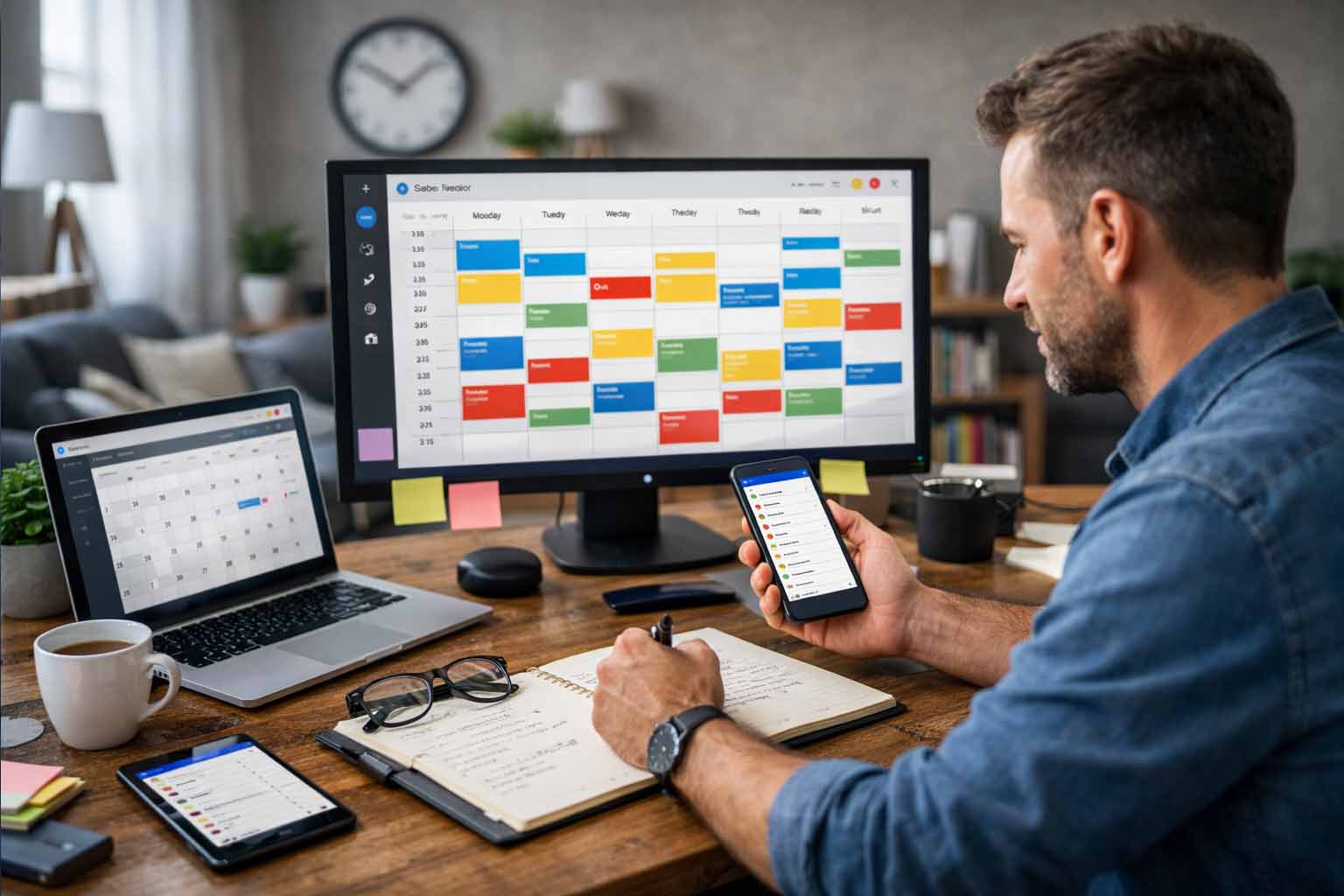
Using Calendar Tools to Stay on Track
Staying Organized in a Fast-Paced World Through Digital Calendar Tools
Time moves quickly across modern societies. Every minute carries value, whether for professionals handling complex projects, business owners overseeing operations, or individuals balancing work and personal responsibilities. Losing focus happens easily. Information arrives nonstop. Messages never seem to pause. Responsibilities continue to stack up. Missed appointments, overlooked deadlines, and rising stress often follow. Effective strategies for achieving work-life balance are crucial in this environment.
Digital calendar tools play a steady role in restoring order. They help structure daily schedules, support better planning, and reduce mental pressure. Used well, they turn scattered tasks into a clear, manageable system that supports both productivity and well-being.
Quick overview
Digital calendar tools help individuals and teams plan tasks, manage time, and track responsibilities across personal and professional life. They support better coordination, reduce stress, and make room for focused work and personal time.
Why Structure Matters in Professional and Personal Life
Across industries and regions, workloads have grown more complex. Many professionals handle meetings across time zones, project milestones, and ongoing collaboration. Outside work, personal commitments also demand attention. Health appointments, family events, rest, and personal goals all need space on the calendar. Knowing how to build a daily routine can significantly aid in this.
Without structure, important details slip through. Disorganization often leads to delayed output, damaged trust, and reduced work quality. Stress increases as unfinished tasks pile up. Over time, this pressure affects both mental and physical health.
Organized scheduling brings clarity. Seeing responsibilities laid out creates a sense of control. Confidence improves. Stress levels drop. With a clear view of time, people can focus on the task in front of them instead of worrying about what might be forgotten.
How Digital Calendar Tools Support Better Time Management
Calendar tools provide a clear picture of upcoming obligations. Events, deadlines, and tasks appear in one place. Preparation becomes easier. Last-minute surprises become rare.
Time allocation also improves. Knowing how much time is already committed helps people decide whether they can accept new tasks or need to set limits. This awareness supports better decision-making for individuals and teams alike.
In work environments, shared calendars strengthen coordination. Teams align meetings, track deadlines, and stay informed about availability. Miscommunication drops. Planning becomes smoother. These tools support calm, focused work instead of reactive scheduling.
Common Types of Digital Calendar Tools
Several types of calendar tools serve different needs. Each offers distinct strengths depending on how time is managed.
Google Calendar
Widely used across regions, Google Calendar offers ease of use and broad accessibility. Multiple calendars can be created for work, personal life, or shared projects. Notifications arrive through email or mobile alerts, helping users stay aware of upcoming events.
Microsoft Outlook Calendar
This option integrates closely with email and collaboration tools used by many organizations. It supports team scheduling, meeting coordination, and task planning within a single environment.
Apple Calendar
Designed for users within the Apple ecosystem, this tool syncs smoothly across devices. Its clean layout supports simple scheduling and easy sharing through cloud-based access.
Project Management Platforms with Calendar Views
Tools such as Asana or Trello include calendar and timeline features. These platforms support task assignment, progress tracking, and deadline visibility for teams managing detailed projects.
Scheduling Applications
Apps such as Calendly or Acuity Scheduling focus on appointment booking. Shared availability links reduce back-and-forth communication and simplify meeting setup for clients or collaborators.
Choosing the right option depends on how time is used and whether coordination with others is required.
Selecting the Right Calendar Tool
Not all tools fit every workflow. Selecting the right one involves reviewing personal or team needs.
Individual or shared use
Personal scheduling often works well with simple calendar tools. Team coordination benefits from shared access and task visibility.
Connection with other applications
Calendar tools that align with existing email or collaboration platforms reduce friction and save time.
Key features
Some users need detailed reminders, file attachments, or visual organization through color labels. Others prefer simplicity.
Access across devices
Reliable access from phone, tablet, and computer supports consistent use across daily routines.
Cost considerations
Many tools offer free versions. Paid plans often add advanced features. Value depends on how frequently those features are used.
A thoughtful choice creates long-term benefits rather than short-term convenience.
Using Calendar Tools Effectively
Owning a digital calendar alone does not create order. Consistent habits make the difference.
Regular planning and updates
Reviewing the calendar at the start of each week supports preparation. Adding events as soon as they arise prevents gaps. Seeing the full schedule helps balance workloads and avoid overcrowding.
Smart use of reminders
Reminders support memory and preparation. Setting alerts hours or days ahead gives time to prepare. Important events benefit from multiple alerts.
Visual organization through color
Color labels help distinguish work tasks, personal commitments, and deadlines. A quick glance reveals the structure of the day without reading details.
Shared calendars for coordination
Teams and families benefit from shared visibility. Meetings align more easily. Conflicts become easier to avoid. Everyone stays informed.
Blocking focus time
Dedicated focus blocks protect time for deep work. Treating these blocks with the same respect as meetings supports better output and steady progress.
Daily and weekly reviews
Short reviews at the end of each day prepare the next one. Weekly reviews help assess progress and adjust plans. This habit keeps schedules realistic and flexible.
Supporting Work-Life Balance Through Scheduling
Calendar tools support more than productivity. They also protect personal time. Clear scheduling shows where work ends and personal time begins. Exercise, reading, rest, and family activities gain visibility when placed on the calendar. These moments become commitments rather than afterthoughts. Seeing a full schedule also makes it easier to decline extra tasks when capacity is full. Setting boundaries prevents exhaustion. Rest improves focus and energy during work hours. Balanced scheduling, a key component of effective time management, supports long-term health and steady performance. A calm schedule supports presence in every activity, whether professional or personal.
Real-World Scenarios Across Different Roles
Calendar tools adapt well across professions and lifestyles.
A freelancer working with international clients may manage deadlines through separate calendars and color labels. Clear scheduling supports availability planning and timely delivery.
A remote team working across regions may rely on shared project calendars. Sprint schedules, release dates, and meetings stay visible for everyone involved.
A business owner managing growth may block time for planning, operations, and rest. Scheduling personal time alongside work supports sustainability.
A student managing coursework benefits from deadline tracking and study blocks. Clear planning reduces anxiety and supports consistent progress. These scenarios reflect how structured scheduling supports focus and confidence across different paths.
Digital calendar tools support clarity, balance, and steady productivity. With thoughtful use, they turn busy schedules into manageable plans and support a calmer, more focused way of working and living.